Skip to content
CONTINUITY / PRODUCTION INTELLIGENCE

Check the plan.
Inspect the result.

Review character and shot continuity with reference checks, timestamped footage and take comparisons. Keep intended state distinct from observed evidence.

FROM INTENT TO AN APPROVED TAKE

Know the plan. Inspect the result.

Make inconsistencies visible. Keep the final judgment yours.

01

Check the plan before judging the picture

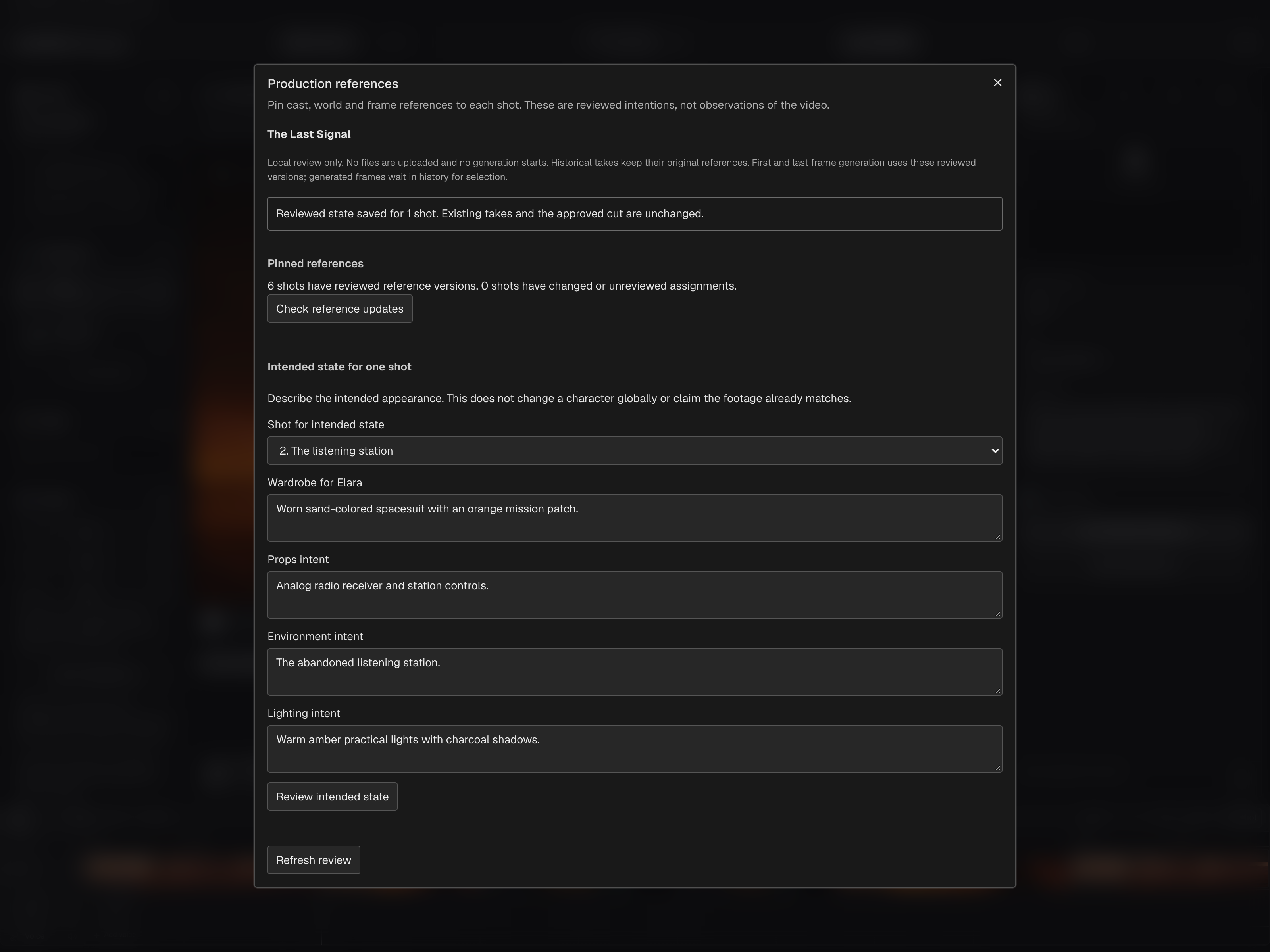
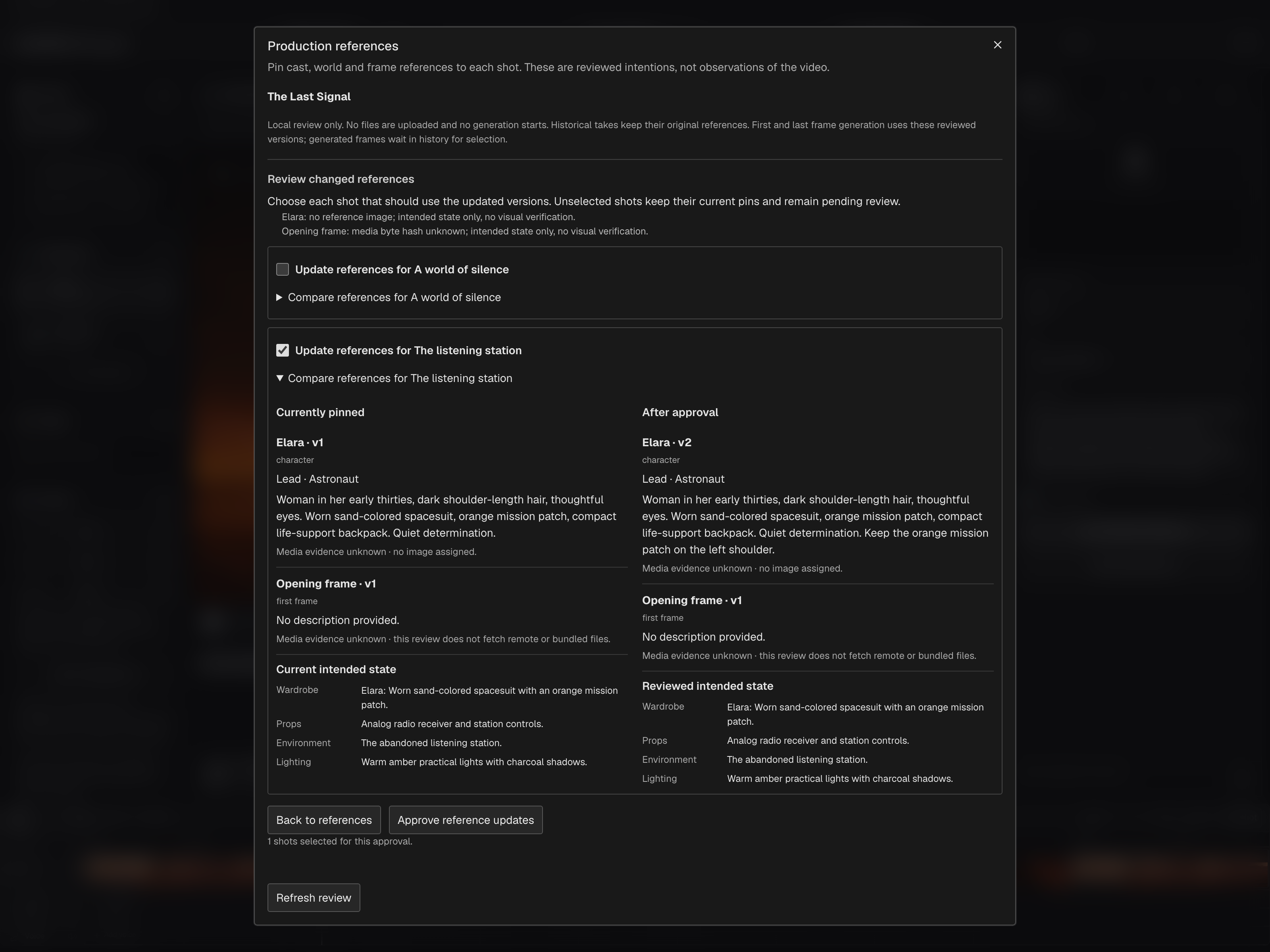
Compare a take’s requested shot specification with currently reviewed references and scoped wardrobe, props, environment and lighting. A mismatch in those records is a production finding, separate from a visual judgment about the footage.

Production Tools → Continuity & footage search → Reviewed specification inspector

02

Inspect actual footage at known moments

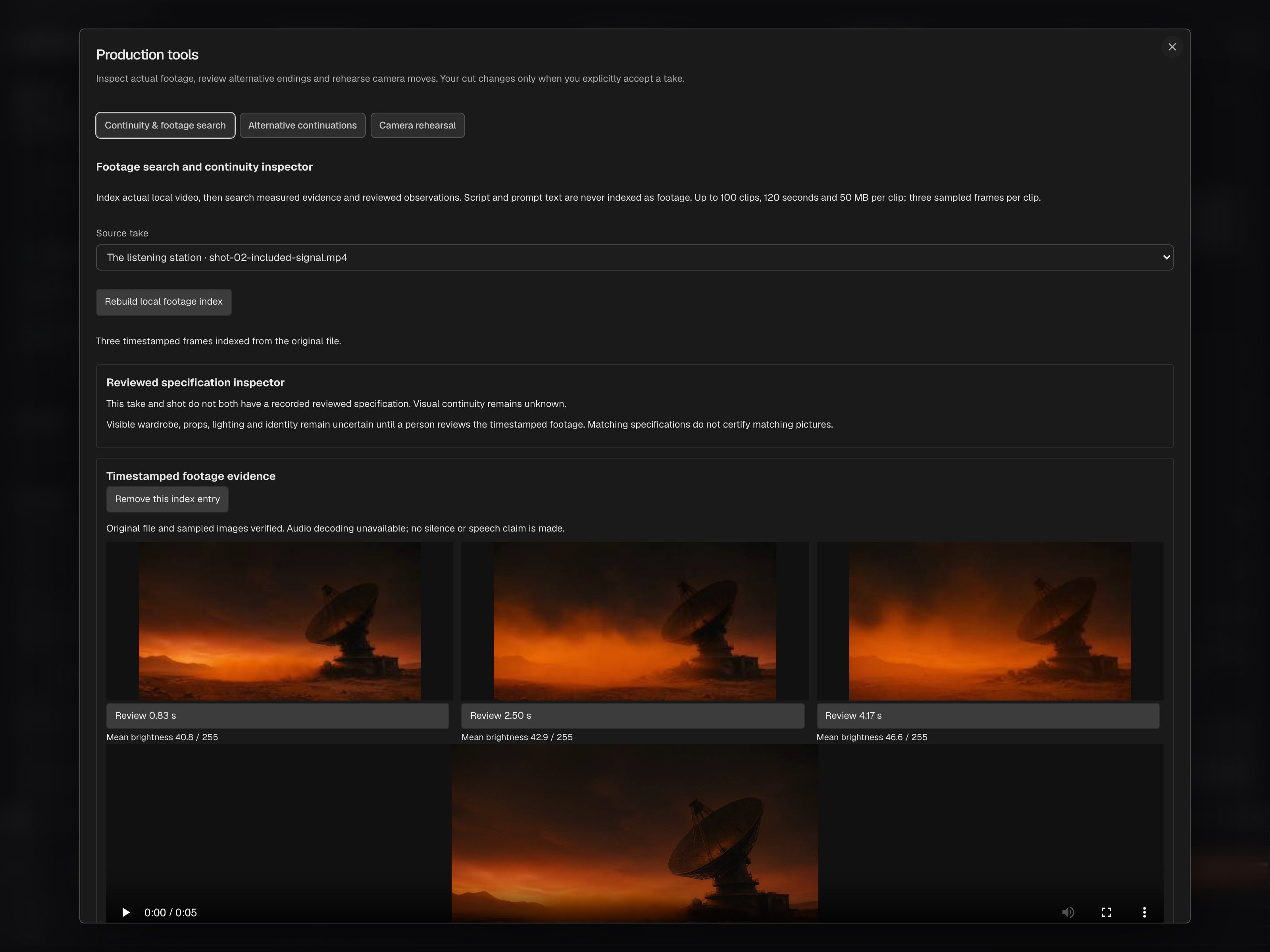
Capture three timestamped samples from an actual local clip, with source identity and available audio measurements. Open the source at the sampled moment. An action between samples can be missed; script text and prompts do not become observations of the footage.

Production Tools → Footage search → Index selected footage locally

03

Keep observations open to review

Add visual or audio notes locally. Optional model captions and visible-text observations require consent to share sampled frames and remain suggestions until reviewed. Confirm or reject the observation; audio measurements do not transcribe speech.

Footage evidence → Notes · Optional model captions and visible text

05

Compare intent with measured changes

Read recorded edits and references alongside aligned sample frames, duration, brightness and color differences. Synchronized take comparison helps inspect the result. Those measurements do not establish character identity, performance or the cause of a visual difference.

Take comparison → What changed? · Mac → Generate Video → Take Review

06

Make the final continuity decision

Use the evidence to keep a candidate, reject it or plan another change. A fixed painted grading region does not track a moving subject or generate a replacement. Review the whole result and any continuation seam before choosing what enters the cut.

Candidate comparison → Accept or reject · Continuation preview

Browser and Mac provide production tools for footage review, continuity inspection and local candidates. Sampled evidence does not cover every frame or guarantee character consistency. Review the actual footage; no observation automatically updates the story, references or approved cut.

ONE DECISION, IN PRACTICE

How the pieces connect.

Make inconsistencies visible. Keep the final judgment yours.

THE LAST SIGNAL / SHOT 02ILLUSTRATIVE REVIEW
01 / PRODUCTION CHECK

Check the selected references.

Shot specification
Maya reference v2
Candidate recipe
Maya reference v1

Version mismatch to review

This checks the production records. It says nothing about the jacket visible in the footage.
02 / VISUAL REVIEW

Inspect what is actually on screen.

Intended appearance
Weathered tan jacket
Example observation · 00:08
Jacket appears darker than the reference

Possible wardrobe mismatch

Compare the candidate frame with Maya reference v2. Lighting may explain the difference; filmmaker review is required.
ILLUSTRATIVE PRODUCTION EXAMPLE

Know the plan. Inspect the result.

A reference tells you what was intended. The footage shows what was made. Production checks and evidence-based review bring possible discrepancies to the filmmaker with context.

Browser and Mac provide production tools for footage review, continuity inspection and local candidates. Sampled evidence does not cover every frame or guarantee character consistency. Review the actual footage; no observation automatically updates the story, references or approved cut.

Return to the real studio captures
EARLY ACCESS / BETA WAITLIST

Your story deserves
to be a film.

Join the moviefactory.ai early-access community. Bring your ideas, your perspective and your ambition. Help shape a filmmaking studio built for independent voices everywhere.

MORE VOICES. MORE STORIES.moviefactory.ai