Movie Brain connects your screenplay, approved references and shot direction to reviewed frame and video candidates in the browser and native Mac app.
INSIDE THE BROWSER STUDIO
See the decisions. Follow the evidence.
Real controls, in a real project. Explore reference approval, version changes and footage inspection using the included example film.
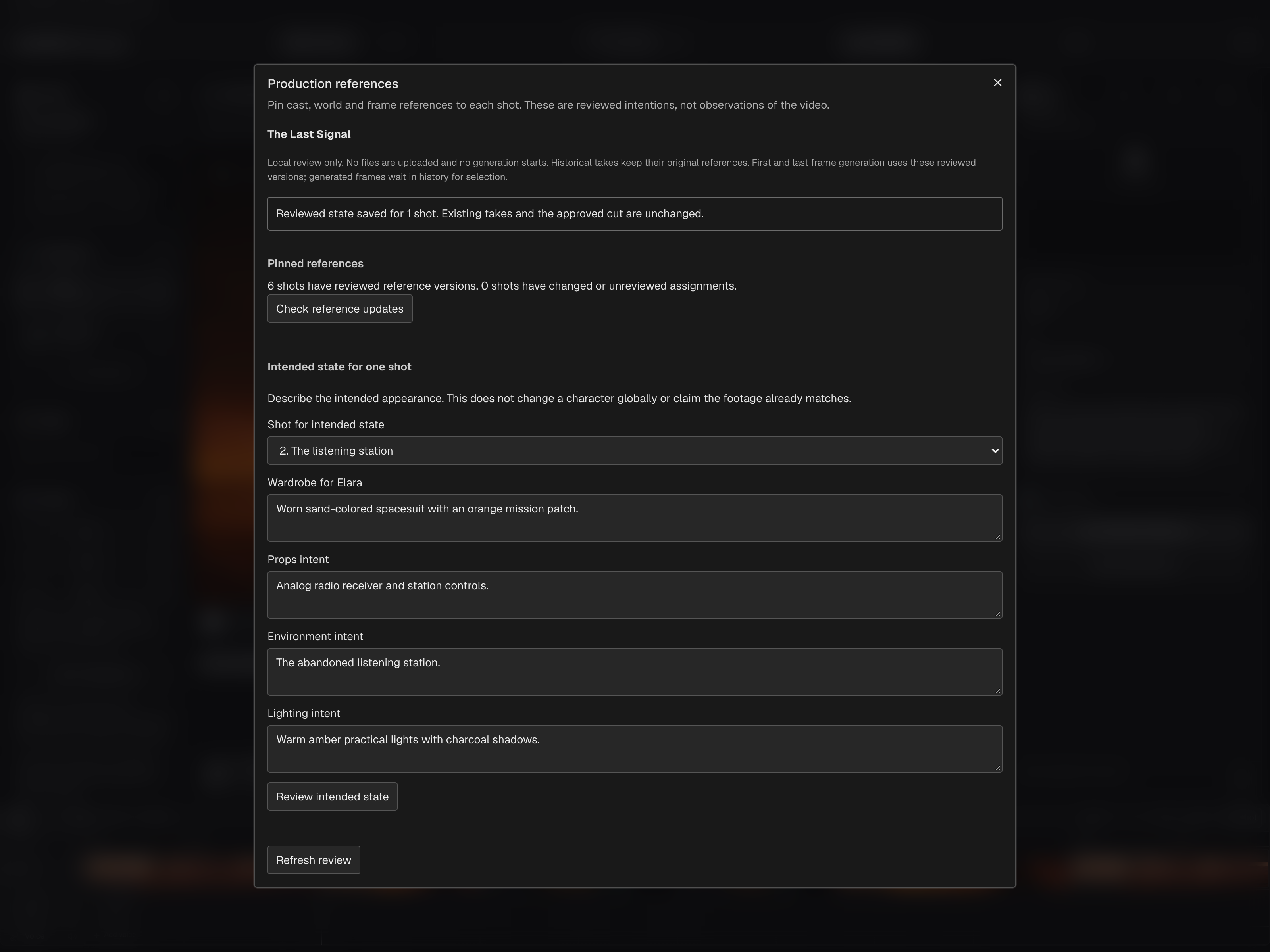
Review the intended state for one shot
Production references shows the saved wardrobe, props, environment and lighting intent for The listening station in the included sample film.
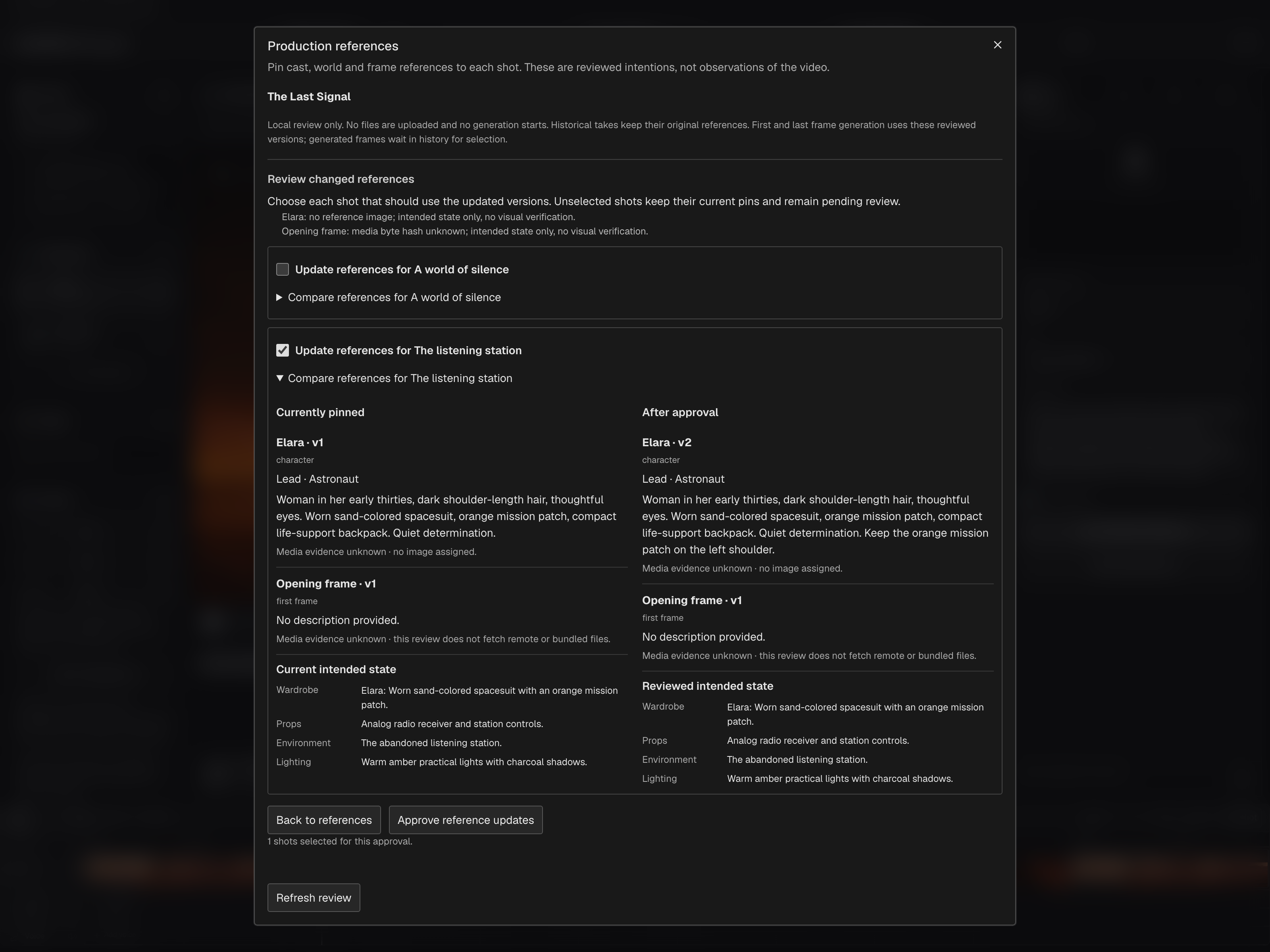
Choose which shots receive a changed reference
The sample character changes from version 1 to version 2. Only The listening station is selected; reference updates are still awaiting approval.
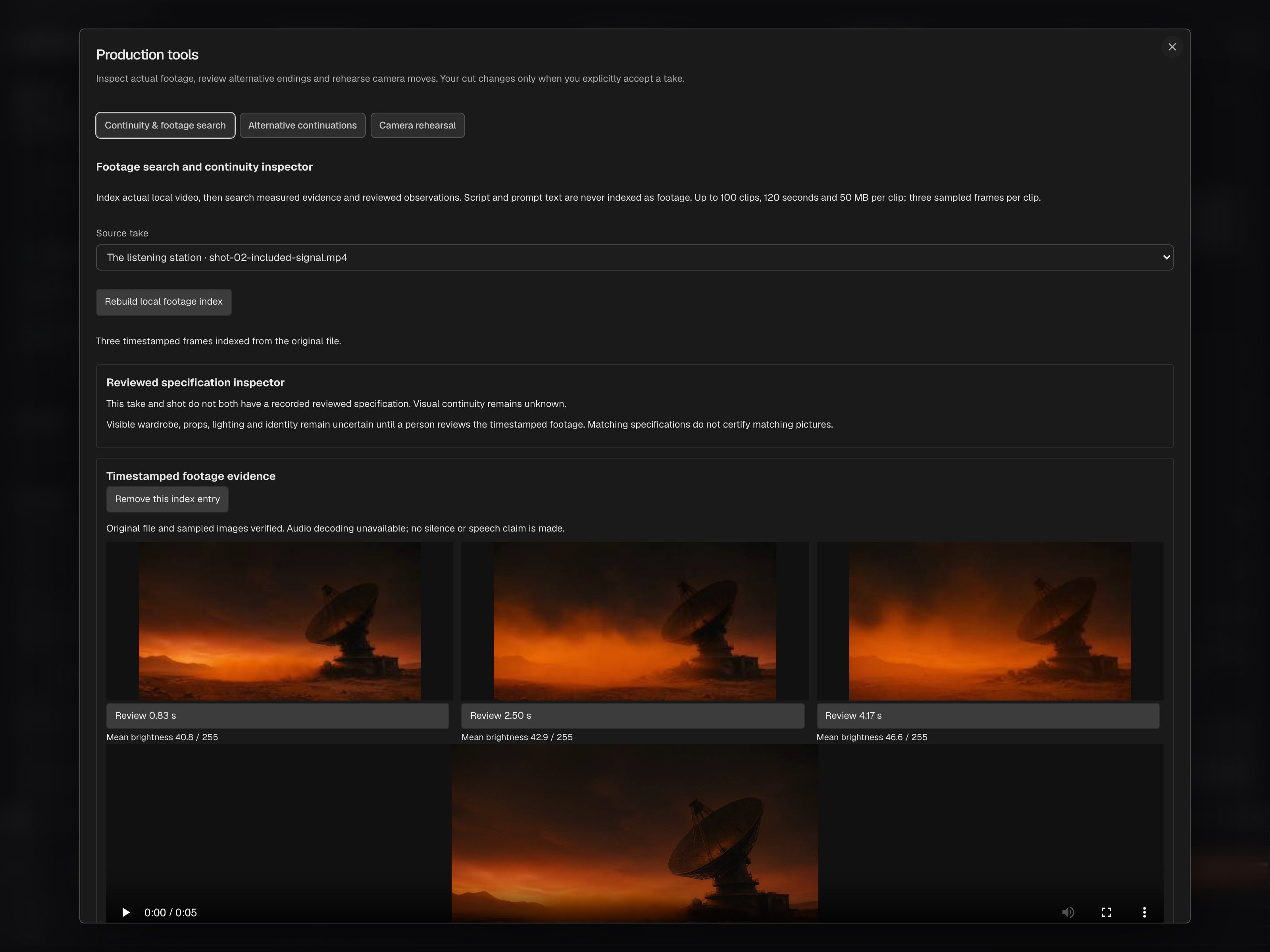
Inspect timestamped frames from the original clip
The local inspector verifies three sampled frames from an included sample clip imported as a take. The original cut remains unchanged.
Actual browser studio captures, 25 October 2026. The included film and locally imported sample footage demonstrate the controls. No AI generation or automated visual assessment was used for these captures.
FROM INTENT TO AN APPROVED TAKE
The right context for the next shot.
Direct the next shot without rebuilding its context from scratch.
Bring the screenplay excerpt, intended action, assigned cast and world, neighboring shots and camera direction together. Context stays tied to the selected operation, so a new shot starts with the decisions already made for the film.
Review and approve shot references in the browser or Mac app. Keep wardrobe, props, environment and lighting intent with the shot. On Mac, prepare a review for the selected scene or all scenes; in the browser, inspect affected shots and choose which adopt a changed version.
Browser → Production references · Mac → Shot Frames → Review References…
Create tracked opening and closing frames in the browser or Mac app, then carry supported frame inputs and reviewed direction into compatible video workflows. Inspect the inputs actually sent and keep the output as a candidate. On Mac, review a new opening’s references before generating the closing frame.
Review the chosen shots, local operations and preservation limits before rendering a change. Browser director plans use reviewed pinned context. Native Local Director records a snapshot of the current scene, style and assigned library references; its context is distinct from the browser’s pinned director plan.
Browser → Direct selected shot · Mac → Generate Video → Local Director
Open footage review, alternative continuations and camera rehearsal around the current film. Keep an opening and compare two endings, or block a camera move before generation. Rehearsal geometry and camera paths are not automatically sent to video models.
Production Tools → Footage, continuations and camera rehearsal
Reviewed generation produces a candidate for your decision. Compare candidates with their source and recorded inputs, then explicitly select a frame or accept a take. Earlier source media and decisions remain available; provider capabilities determine which references and controls a request can use.
Mac → Shot Frames → Use Result · Generate Video → Take Review · Candidate comparison
Browser and Mac both support reviewed references and tracked frame candidates. Their local director context and media limits differ. Prepared tracked ComfyUI batch export remains a browser workflow. Projects move through supported packages, without automatic device synchronization.
ONE DECISION, IN PRACTICE
How the pieces connect.
Direct the next shot without rebuilding its context from scratch.
THE LAST SIGNAL / SHOT 02ILLUSTRATIVE CONTEXT
SELECTED SHOTMaya studies the radio.
Story
She recognizes a familiar transmission.
Approved anchors
Maya · workwear · reference v2 Station · location v1
This scene
Weathered tan jacket. Radio powered on.
Direction
Close framing. Slow push. Keep the dialogue.
Relevant context for one operation. A reusable asset first becomes an independent film copy; production-reference review chooses the pins used by tracked generation.
ILLUSTRATIVE PRODUCTION EXAMPLE
The right context for the next shot.
A story beat, an approved character reference, a location and a decision already made. Movie Brain brings the relevant film context together for each reviewed operation.
Browser and Mac both support reviewed references and tracked frame candidates. Their local director context and media limits differ. Prepared tracked ComfyUI batch export remains a browser workflow. Projects move through supported packages, without automatic device synchronization.
Join the moviefactory.ai early-access community. Bring your ideas, your perspective and your ambition. Help shape a filmmaking studio built for independent voices everywhere.